
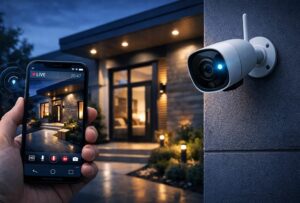
How to Set Up a Wireless Security Camera: A Complete Step-by-Step Guide.
Wireless Security Camera In today’s world, ensuring the safety of your home or business has become more important than ever. Wireless security cameras have emerged as a convenient, flexible, and effective solution for monitoring property without the need for complicated wiring systems.
Understanding Wireless Security Cameras
Before diving into the setup process, it’s important to understand what a wireless security camera is and how it works. A wireless security camera transmits video and audio signals to a receiver through Wi-Fi or other wireless technologies.
Key Features of Wireless Security Cameras
- Wi-Fi connectivity
- Remote access via smartphone or computer
- Motion detection alerts
- Night vision capabilities
- Cloud or local storage options
- Two-way audio (in some models)
- Step 1: Choose the Right CameraSelecting the right wireless security camera is the foundation of a successful setup. Consider the following factors:
-
-
- No recurring costs
- Full control over data
Cons:
- Risk of data loss if the device is damaged or stolen
Some cameras offer hybrid options, combining both cloud and local storage.
Step 8: Test Your Camera
Before finalizing the installation, thoroughly test your camera.
What to Check
- Live video feed
- Motion detection alerts
- Night vision performance
- Audio (if available)
- App functionality
Walk around the monitored area to ensure the camera captures all important movements.
Step 9: Secure Your Camera System
Advanced Security Tips to Prevent Hacking
-
- Security is not just about surveillance—it also involves protecting your camera from hackers.Best Practices
- Use a strong, unique password
- Enable two-factor authentication
- Regularly update firmware
- Avoid using public Wi-Fi to access your camera
- Change default login credentials
Step 10: Maintain Your Camera
Regular maintenance ensures long-term performance.
Maintenance Tips
- Best Practices for Better Camera Performance
- Clean the camera lens periodically
- Check battery levels
- Update software regularly
- Inspect mounting hardware
- Test system functionality every few weeks
-
Common Mistakes to Avoid
Tips for First-Time Users
- Even though wireless cameras are easy to set up, some common mistakes can reduce their effectiveness.
- Placing cameras too high or too low
- Ignoring Wi-Fi signal strength
- Not securing the network
- Overlooking blind spots
- Using weak passwords
Advantages of Wireless Security Cameras
- Easy installation
- Flexible placement
- Remote monitoring
- Scalable system (add more cameras easily)
- Minimal wiring
Disadvantages
- Dependence on Wi-Fi
- Potential signal interference
- Battery maintenance (for wireless models)
- Possible cybersecurity risks
Conclusion
Setting up a wireless security camera may seem intimidating at first, but by following the right steps, it becomes a straightforward and rewarding process. From choosing the right camera to ensuring proper placement, connectivity, and security, each step plays a crucial role in building an effective surveillance system.
- How to Set Up a Wireless Security Camera: Extended Guide with Advanced Tips and FAQsSetting up a wireless security camera is not just about installation—it’s about creating a reliable, secure, and efficient surveillance system. While the basic setup process is straightforward, there are many advanced considerations and additional features you can include to make your system more powerful and professional. In this extended guide, we will explore additional components, advanced setup strategies, smart integrations, and troubleshooting techniques.Additional Features You Can Add to Your System
To make your wireless security camera system more effective, consider adding the following features:
- Smart Home Integration
Modern wireless cameras can be integrated with smart home systems like voice assistants.
Benefits:
1. Smart Home Integration
Modern wireless cameras can be integrated with smart home systems like voice assistants.
Benefits:
- Control cameras using voice commands
- View live feed on smart displays
- Automate security routines
Example:
You can say, “Show me the front door camera,” and instantly view the feed.- Cloud AI and Smart Detection
Advanced cameras now use AI-based detection to distinguish between:
- Humans
- Animals
- Vehicles
- Packages
This reduces false alerts and improves accuracy.
- Geofencing
Geofencing allows your camera to automatically arm or disarm based on your location.
Example:
- Camera turns on when you leave home
- Camera turns off when you return
Advanced Placement Strategies
Beyond basic placement, consider these expert-level strategies:
Cover Entry and Exit Points
Ensure all possible entry points are monitored, including less obvious ones like side doors or basement entrances.
Use Overlapping Coverage
Install cameras in a way that their fields of view overlap. This ensures no blind spots.
Avoid Privacy Violations
Do not place cameras in private areas like bathrooms or bedrooms. Also, be mindful of neighbors’ privacy.
Internet and Bandwidth Optimization
Wireless cameras can consume significant bandwidth.
Tips to Optimize Usage
- Lower video resolution if internet speed is limited
- Use motion-triggered recording instead of continuous recording
- Upgrade your internet plan if necessary
- Use dual-band routers for better performance
Power Backup Solutions
Power outages can disable your security system.
Solutions
- Use Uninterruptible Power Supply (UPS)
- Choose cameras with battery backup
- Install solar-powered cameras for outdoor use
Expanding Your Security System
Once you are comfortable with your setup, you can expand it further.
Add More Devices
- Doorbell cameras
- Smart locks
- Motion sensors
- Alarm systems
Centralized Control
Use a single dashboard or app to control all devices for convenience.
Cost Considerations
Understanding costs helps you plan better.
Initial Costs
- Camera device
- Mounting accessories
- Optional storage devices
Ongoing Costs
- Cloud storage subscription
- Maintenance and replacement
- Internet costs
Future Trends in Wireless Security Cameras
Technology is evolving rapidly. Here are some trends to watch:
- AI-powered facial recognition
- 4K and 8K resolution cameras
- Edge computing (processing data locally)
- Integration with smart cities
- Enhanced cybersecurity features
Frequently Asked Questions (FAQs)
-
- How long does it take to set up a wireless security camera?
Answer:
Typically, it takes 15 to 30 minutes for basic setup. More complex installations with multiple cameras may take a few hours.- Do wireless cameras work without internet?
Answer:
Yes, some cameras can record locally without internet, but you won’t be able to access live feeds or receive remote alerts.- What is the ideal internet speed for wireless cameras?
Answer: At least 2–5 Mbps upload speed per camera is recommended for smooth performance.
4. Can wireless cameras be hacked?
Answer:
Yes, if not properly secured. Use strong passwords, enable two-factor authentication, and keep firmware updated to minimize risks.- How far can a wireless camera be from the router?
Answer:
Typically 100–300 feet, depending on obstacles like walls and interference.- Are wireless cameras better than wired ones?
Answer:
Wireless cameras are easier to install and more flexible, while wired cameras offer more stable connections.- How often should I charge battery-powered cameras?
Answer:
Usually every 1–3 months, depending on usage and battery capacity.- Can I use one app for multiple cameras?
Answer:
Yes, most modern camera systems allow multiple cameras to be managed from a single app.- Do wireless cameras record all the time?
Answer:
Some do, but most use motion detection to save storage and bandwidth.- Is it legal to install security cameras at home?
Answer:
Yes, but laws vary by location. Avoid recording private areas and respect others’ privacy.That’s all.
-