
When designing the perfect living room setup, one question comes up again and again: how far should the TV be from the sofa? Whether you’re buying a new television, rearranging furniture, or upgrading your home entertainment space, the distance between your seating and screen plays a much bigger role than most people realize.
It’s not just about making the room look balanced or stylish—your TV viewing distance directly impacts eye comfort, picture quality, and your overall watching experience. Sit too close, and you may start noticing eye strain, headaches, and even pixelation (especially with lower-resolution content). Sit too far away, and the screen can feel smaller than it actually is, making it harder to enjoy movies, sports, and gaming—plus you might find yourself squinting to read subtitles or see fine details.
The truth is, there isn’t one “perfect” distance that works for everyone. The ideal setup depends on several factors, including your TV screen size, resolution (HD, 4K, or 8K), room layout, and even personal comfort preferences. That’s why choosing the right TV-to-sofa distance is one of the smartest things you can do to improve both your viewing pleasure and long-term comfort.
In this complete guide, you’ll discover the recommended TV viewing distance for different screen sizes, simple formulas to calculate the perfect setup, and practical tips used by home theater experts to create a more immersive and comfortable experience. Whether you have a small apartment living room or a large family space, this guide will help you position your TV correctly—so you can enjoy sharper visuals, better immersion, and stress-free watching every day.
| TV Size | Recommended Distance (1080p) | Recommended Distance (4K) |
|---|---|---|
| 32 inch | 4 – 6.5 feet | 3 – 4 feet |
| 40 inch | 5 – 8 feet | 3.5 – 5 feet |
| 43 inch | 5.5 – 9 feet | 4 – 5.5 feet |
| 50 inch | 6.5 – 10.5 feet | 4 – 6.5 feet |
| 55 inch | 7 – 11.5 feet | 4.5 – 7 feet |
| 60 inch | 7.5 – 12.5 feet | 5 – 7.5 feet |
| 65 inch | 8 – 13.5 feet | 5.5 – 8 feet |
| 70 inch | 9 – 14.5 feet | 6 – 9 feet |
| 75 inch | 9.5 – 15.5 feet | 6.5 – 9.5 feet |
| 85 inch | 11 – 17.5 feet | 7.5 – 11 feet |
So if you’re searching for how far should TV be from sofa, the table above gives you a strong starting point.
How to Calculate TV Distance From Sofa:
If you want to calculate the ideal TV viewing distance yourself, the easiest method is to use a simple formula based on your TV resolution. Here’s the comparison clearly:
HD (1080p) vs 4K vs 8K Viewing Distance Comparison:
| TV Resolution | Best Viewing Distance Formula | Example Calculation | Final Distance |
|---|---|---|---|
| HD (1080p) | TV Size × 2 | 55″ × 2 = 110 inches | 9.1 feet |
| 4K Ultra HD | TV Size × 1.2 | 55″ × 1.2 = 66 inches | 5.5 feet |
| 8K Ultra HD | TV Size × 0.8 | 75″ × 0.8 = 60 inches | 5 feet |
How Far Should TV Be From Sofa? Expert Viewing Angle Guidelines for the Perfect Setup:
When people search how far should TV be from sofa, they usually focus only on TV size. But professionals and home theater experts follow a more accurate method: viewing angle. This is because the viewing angle determines how much of your natural field of view the TV covers, which directly affects comfort, immersion, and overall picture enjoyment.
Globally, two trusted standards are widely used to determine the ideal TV viewing distance:
1. SMPTE Recommendation (Comfort-Focused Setup)
SMPTE (Society of Motion Picture and Television Engineers) recommends a viewing angle of: 30 degrees
This is considered the most comfortable and balanced angle for everyday watching. It’s ideal for casual TV viewing such as:
- news and talk shows
- regular Netflix/YouTube watching
- family TV time
- long binge sessions without discomfort
If you want a setup that feels relaxed and prevents eye strain, SMPTE’s guideline is a great option. Many people consider this the best TV distance from couch for daily use.
2. THX Recommendation (Cinema-Like Setup)
THX, known for cinema-quality standards, recommends a viewing angle between: 36 to 40 degrees
This is designed for people who want a more immersive and theater-style experience. It works best when watching:
- action movies and cinematic content
- sports events
- gaming (PS5, Xbox, PC gaming)
- high-quality 4K streaming content
A larger viewing angle makes the screen feel bigger, more engaging, and more premium. This is why THX is often used as the ideal standard for home theater setups.
What These Angles Mean in Simple Terms
To keep it simple:
- 30 degrees = Comfortable, relaxed watching
- 40 degrees = Cinema-like, immersive experience
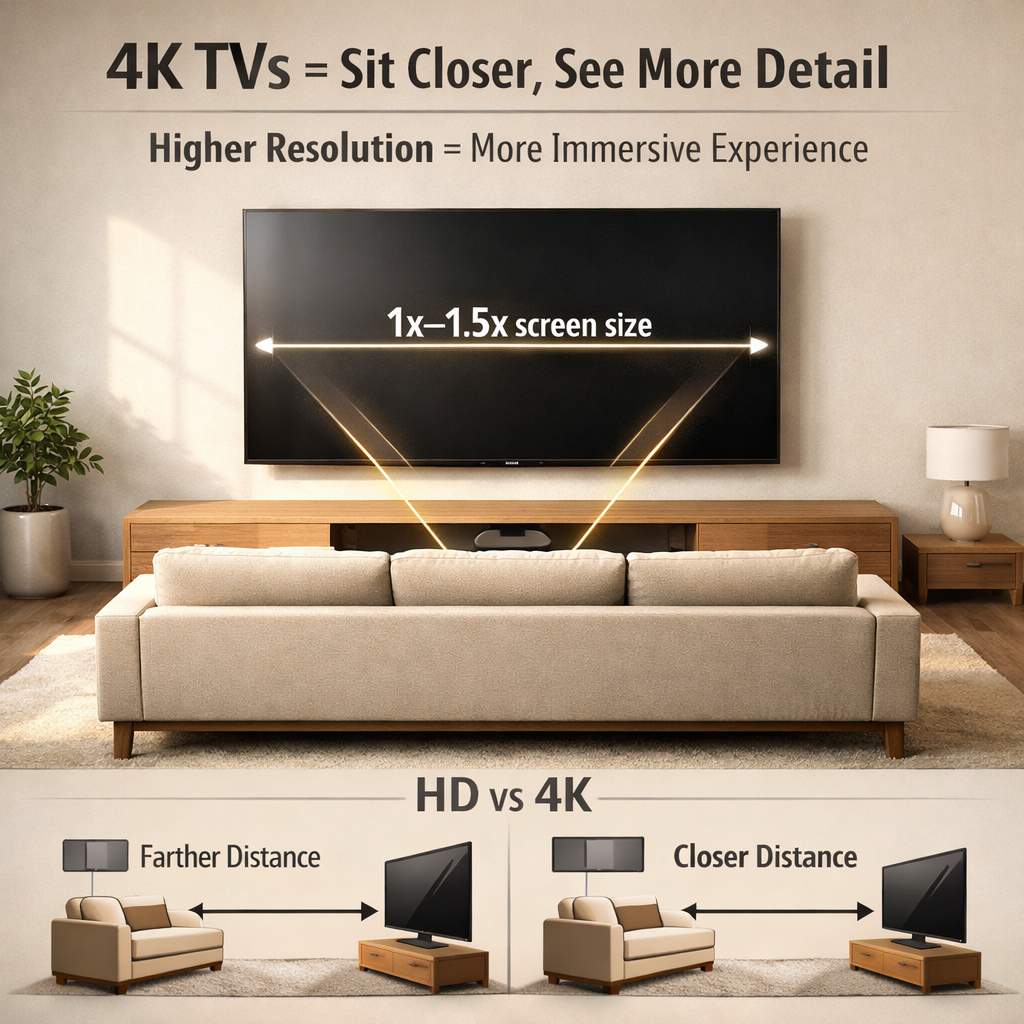
So, if you sit closer to the TV, the viewing angle increases and the TV feels larger. That’s why many people upgrading to 4K TVs prefer sitting slightly closer—it creates a better immersive TV viewing experience without losing clarity.
What Is the Perfect TV Distance for Most Homes?
If you want a practical, easy answer without complicated calculations:
For most homes, the ideal TV-to-sofa distance is between 6 to 9 feet.
This range is perfect for the most popular TV sizes today, especially:
- 50-inch TVs
- 55-inch TVs
- 65-inch TVs
So if someone asks you, how far should TV be from sofa, you can confidently say: 6 to 9 feet is the sweet spot for most modern living rooms.
Common TV Setup Examples (Real-Life Scenarios):
To make the concept of ideal TV-to-sofa distance easier to understand, let’s explore some real-world setups based on typical room sizes and TV configurations. These examples show how to balance TV size, resolution, and room space for the best viewing experience.
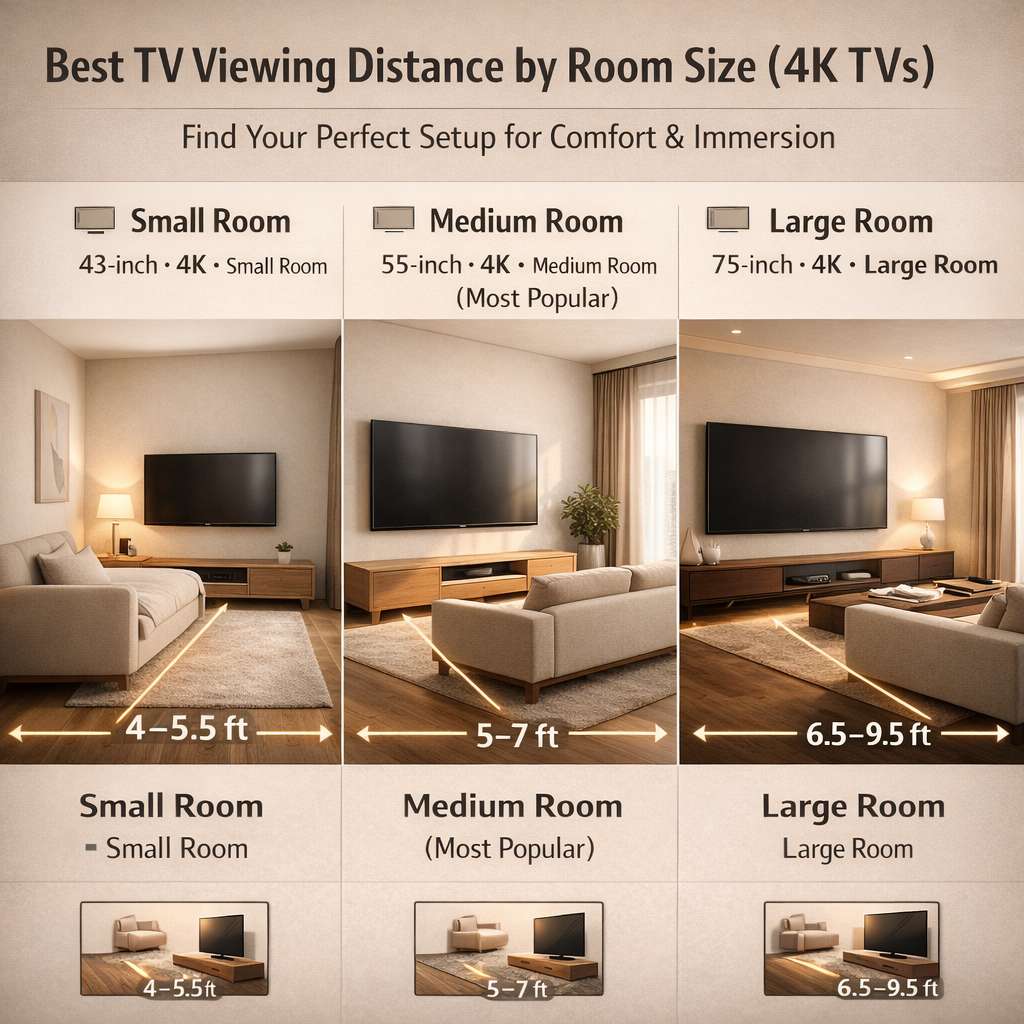
Example 1: Small Living Room or Bedroom Setup
- Room type: Small apartment or bedroom
- TV size: 43-inch
- Resolution: 4K
Recommended distance: 4 to 5.5 feet
This setup is perfect for compact spaces where seating is naturally closer to the screen. A 43-inch 4K TV at this distance provides sharp visuals, vibrant colors, and comfortable viewing without straining your eyes. It’s an excellent choice for bedroom TVs, small apartment living rooms, or secondary screens. Sitting too far away in a small room can make the screen feel tiny, while sitting within this range ensures immersive yet relaxed viewing.
Example 2: Medium Living Room Setup (Most Popular)
- TV size: 55-inch
- Resolution: 4K
Recommended distance: 5 to 7 feet
The 55-inch 4K TV is the most common choice for average-sized living rooms. Sitting at 5 to 7 feet offers the perfect balance between immersion and comfort, filling your field of view just right without overwhelming your eyes. This range is ideal for family TV time, casual streaming, or gaming sessions, giving you that cinema-like feel in the comfort of your home. For anyone wondering how far should a 55-inch TV be from the sofa, this is the sweet spot.
Example 3: Large Family Room Setup
- TV size: 75-inch
- Resolution: 4K
Recommended distance: 6.5 to 9.5 feet
If you have a spacious living room or dedicated home theater, a 75-inch 4K TV offers a premium experience when paired with the right seating distance. Sitting 6.5 to 9.5 feet away creates a cinematic, immersive environment perfect for movies, sports, and gaming. The larger screen fills more of your field of view without causing eye strain, giving your home a true big-screen entertainment experience. This setup is ideal for families or anyone looking to replicate a theater-style experience at home.
What Happens If You Sit Too Close to a TV?
Many people unknowingly sit too close to their TV, often because of a small living room or a newly purchased large screen. While it might feel convenient, sitting too near can create several problems that affect both comfort and viewing quality.
1. Eye Strain and Fatigue:
When your eyes are forced to focus on a large screen at a close distance, they work overtime. This can lead to:
- Eye fatigue and irritation
- Dry eyes or watery eyes
- Headaches after prolonged viewing
- Difficulty focusing on details in fast-moving scenes
Sitting at the proper TV viewing distance reduces eye strain and helps you enjoy longer viewing sessions comfortably.
2. Motion Sickness and Discomfort:
Fast-moving scenes in sports, action movies, or gaming can feel overwhelming if you’re too close. This may cause:
- Motion sickness
- Dizziness or disorientation
- Reduced ability to track moving objects on the screen
Maintaining a safe distance ensures a smooth, immersive viewing experience without discomfort.
3. Neck and Posture Problems:
Being too close often forces you to look up or tilt your head constantly. Over time, this can lead to:
- Neck pain
- Shoulder stiffness
- Poor posture while watching TV
Proper TV-to-sofa distance helps keep your head and neck in a natural, comfortable position.
4. Reduced Picture Quality Enjoyment:
Ironically, sitting too near a high-definition TV can make imperfections more noticeable:
- Pixelation on HD content
- Motion blur on fast scenes
- Compression artifacts in streaming videos
Sitting at the recommended distance allows you to experience vivid, crisp picture quality as intended by the creators.
What Happens If You Sit Too Far From the TV?
Sitting too far can also ruin your TV watching experience. Common issues include:
- Difficulty reading subtitles or small text
- Missing fine details in movies, shows, or games
- Reduced immersion, making action scenes or cinematic content less engaging
- Lower overall enjoyment of gaming, movies, and sports
If you find yourself squinting at the screen or leaning forward constantly, your sofa is likely too far from your TV.
Pro Tip: The ideal distance balances screen size, resolution, and personal comfort. Following recommended ranges ensures eye-friendly, immersive, and high-quality TV viewing every time.
Expert Recommendations for Healthy TV Watching:
Watching TV is one of the most relaxing activities, but improper setup or viewing habits can lead to eye strain, neck pain, and general discomfort. To enjoy your favorite shows while protecting your health, experts recommend following these practical tips:
1. Keep the Proper Viewing Distance:
Always refer to the recommended TV-to-sofa distance chart based on your TV size and resolution. Sitting too close can cause eye strain, while sitting too far reduces immersion and clarity. Maintaining the correct distance ensures comfortable, long-term viewing and makes your screen look its sharpest.
2. Maintain Eye-Level TV Height:
Your eyes should naturally align with the center of the screen. Mounting your TV too high forces your neck to tilt upward, which can lead to neck and shoulder discomfort over time. Proper height improves posture and creates a cinematic, comfortable viewing experience.
3. Reduce Brightness at Night:
Watching a bright TV in a dark room may seem fun, but it can strain your eyes and disturb sleep cycles due to blue light exposure. Adjusting the TV brightness for nighttime viewing helps prevent eye fatigue and makes late-night binge-watching more comfortable.
4. Use Bias Lighting:
Adding a soft LED light behind your TV (bias lighting) reduces the contrast between the bright screen and a dark room. This simple trick:
- Lessens eye strain
- Enhances perceived picture quality
- Creates a subtle, immersive home theater effect
Bias lighting is a favorite tip among home theater enthusiasts and professionals.
5. Take Regular Breaks
Even with the perfect setup, sitting for hours continuously can cause discomfort. Following the 20-20-20 rule—every 20 minutes, look at something 20 feet away for 20 seconds—helps relax your eyes and prevents fatigue.
Frequently Asked Questions (FAQ):
1. How far should TV be from sofa for 4K?
Ans. For a 4K TV, the ideal distance from the sofa is generally 1 to 1.5 times the screen size. This ensures you can fully appreciate the high resolution without straining your eyes. For example, a 65-inch 4K TV works best when you sit approximately 5.5 to 8 feet away, allowing for a comfortable and immersive viewing experience. Sitting closer can still work for gaming or cinematic content, but staying within this range provides the perfect balance of clarity, comfort, and immersion.
2. Is it bad to sit too close to a TV?
Ans. Sitting too close to a TV can lead to eye fatigue, headaches, and overall discomfort, especially during long viewing sessions. While it is not permanently harmful for most people, staying too near the screen is not recommended, as it can make your eyes work harder and reduce the overall enjoyment of your TV. Maintaining a proper distance helps ensure comfortable, healthy, and strain-free viewing, whether you’re watching movies, sports, or gaming.
3. How far should a 55-inch TV be from a couch?
Ans. For a 55-inch TV, the ideal distance from the sofa depends on the resolution of the TV. If it’s a 4K TV, sitting between 5 to 7 feet away provides the perfect balance of clarity and comfort, allowing you to enjoy all the fine details without straining your eyes. For a 1080p (Full HD) TV, a slightly greater distance of 7 to 11 feet is recommended to prevent noticing pixelation and to maintain a comfortable viewing experience. Following these ranges ensures your TV viewing is both immersive and easy on the eyes, whether for movies, shows, or gaming.
4. What is the best distance for a 65-inch TV?
Ans. For a 65-inch 4K TV, the best distance from the sofa is typically 6.5 to 8 feet. Sitting within this range provides an ideal balance between comfort and immersion, allowing you to fully enjoy the sharp details, vibrant colors, and cinematic experience of a large 4K screen. This distance ensures your eyes are not strained while keeping the viewing experience engaging, whether you’re watching movies, sports, or gaming.
5. Can I use the same distance for all TV types?
Ans. Yes, the recommended viewing distance generally applies to all TV types, including LED, OLED, and QLED. However, OLED TVs have superior contrast and wider viewing angles, making them more forgiving if you sit slightly off-center or on the sides of the sofa. Following the standard distance guidelines ensures a comfortable, immersive, and visually satisfying experience across all TV technologies.
Conclusion:
Choosing the right TV-to-sofa distance is essential for creating a comfortable, immersive, and enjoyable home entertainment setup. Maintaining the correct distance not only enhances picture clarity and detail but also protects your eyes, neck, and posture during long viewing sessions. If you’ve been wondering how far your TV should be from the sofa, this guide provides everything you need—from formulas and charts to expert recommendations and real-life examples. Whether you’re setting up a compact bedroom TV or designing a full-scale home theater, following these guidelines will ensure a relaxed, cinematic, and visually satisfying viewing experience every time.